
Spins of Glory Casino Official Mobile App
You want to play anywhere, anytime, without fighting clunky menus or waiting for downloads, right? At Spins of Glory Casino, we’ve built a slick mobile experience that works like a proper app, runs in your browser, and covers everything from slots and live casino to full sportsbook action. Let’s walk you through how our mobile platform works, how to install the PWA shortcut, and why you really don’t need a traditional APK from Spins of Glory Casino to enjoy the full package.
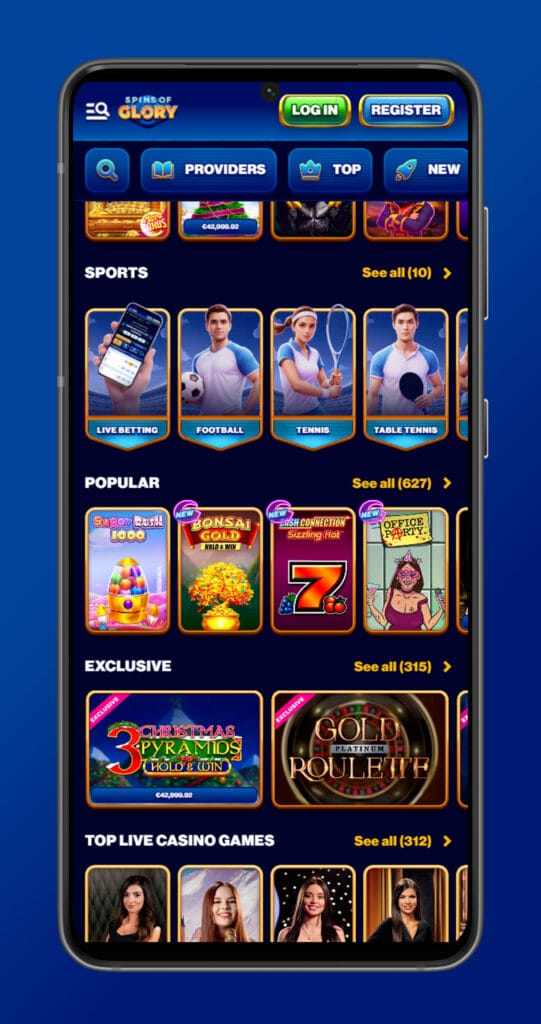
Introduction to the Mobile App
Here’s the thing: we don’t use a classic store app with big APK files or App Store approvals. Instead, Spins of Glory Casino runs as a mobile web app (PWA) that opens in your browser and feels like a native casino app once you add it to your home screen. You get fast loading, smooth navigation, and full access to your account, promos, payments, and support from one place.
The mobile site is fully optimised for both iOS and Android, so you can jump in from Chrome, Safari, or your default browser without worrying about compatibility. Graphics keep their HD quality, tables and slots scale to your screen, and you can swap between casino and sports in a couple of taps.
Mobile App Navigation and User Interface
Our mobile lobby is designed to be simple and thumb‑friendly. Menus are tucked into clear buttons and side panels, so you always see the important stuff first: games, bonuses, and your balance. The layout mirrors the desktop version but is trimmed down so you don’t have to zoom or hunt for links.
From the main screen, you can:
- Switch between Casino, Live Casino, and Sportsbook from the top or side menu
- Filter games by category, provider, or features with a few quick taps
- Open cashier, profile, and promotions from a clean drop‑down panel
The game tiles are big enough to hit comfortably, and the interface responds to swipes and taps like a regular app, which reviewers consistently point out as a strong part of our mobile design. Even though the visible lobby grid is slightly more compact than the desktop, you still access the full game catalogue once you open the categories.
Registration and Login on Mobile
You don’t need a computer to get started – everything works straight from your phone. The registration form loads in a mobile‑friendly layout that’s easy to fill with thumbs, and login is just a single tap from the top bar.
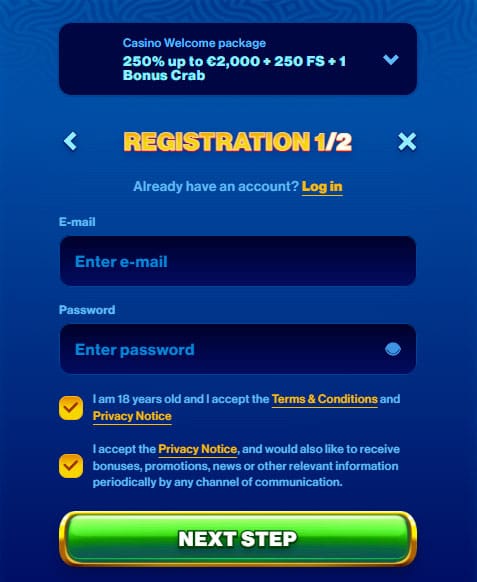
On mobile, you can:
- Register a new account in a couple of minutes with email, password, and personal details
- Log in using your existing Spins of Glory credentials, with optional “remember” on private devices
- Complete KYC by uploading photos of your documents directly from your camera or gallery
Because the mobile and desktop versions share the same backend, anything you do on one device is instantly synced. So you can sign up on your phone, later log in from your laptop, or the other way around, and your balance, bonuses, and bets will follow you seamlessly.
Mobile Games and Sports Betting Experience
You’re not getting a cut‑down product on mobile. Spins of Glory runs thousands of slots, tables, and live games straight through the browser, plus the entire sportsbook with pre‑match and live betting. That means your favourite titles stay available whether you’re at home or on the move.
In a mobile casino, you can:
- Spin the same HD slots as desktop with smooth animations and touch controls
- Join live dealer tables (roulette, blackjack, game shows) without stutter, assuming a decent connection
- Play table games with tap‑friendly controls designed for smaller screens
In the sportsbook section:
- You see full market lists for football, tennis, basketball, hockey and more, with odds tailored to small screens
- Live betting panels show live scores, stats, and changing odds in a compact layout
- You can cash out and manage open bets with the same options you get on desktop
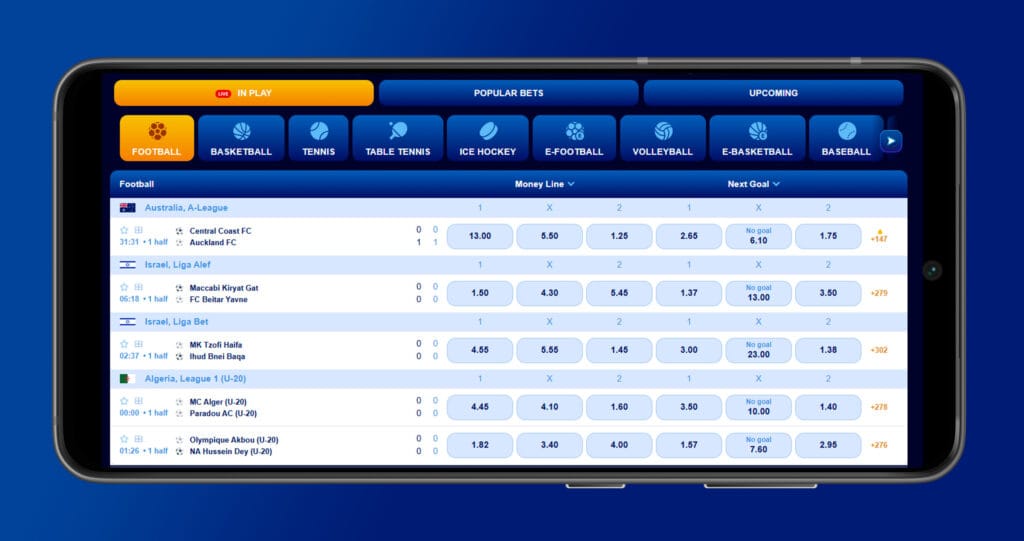
Independent reviews highlight that the mobile version handles game performance well and keeps features like payments, bonuses, and live chat fully accessible from the same interface.
Benefits of Using Spins of Glory Mobile Platform
Why use the mobile “app” instead of sticking to desktop only? A few big reasons jump out:
- No downloads or updates at Spins of Glory Casino: You’re not hunting for us in app stores or manually updating anything. Open your browser, visit the site, and you’re always on the latest version.
- Works on iOS and Android equally well: The responsive design adapts to different brands, OS versions, and screen sizes, so you can switch devices without learning a new UI.
- Full feature parity: You can deposit, withdraw, claim bonuses, enter tournaments, and talk to support all from mobile. There’s no “mobile‑only” or “desktop‑only” limitation on the core features.
- Lightweight on your device: Because our app runs in your browser as a PWA, you’re not using much storage or system resources, which keeps older phones feeling snappy.
Bottom line, you get all the flexibility of a dedicated app but without the hassle of installation, region‑locked stores, or version conflicts.
How to Install the Mobile App (PWA)
Even though there’s no classic download in Google Play or the App Store, you can still “install” Spins of Glory Casino as a PWA shortcut. This gives you an icon on your home screen that opens directly into the casino, just like a native app.
The exact steps vary slightly between Android and iOS, but the idea is the same:
On Android (Chrome or similar):
- Open your browser and go to the official Spins of Glory website.
- Log in or load the lobby so the full site is visible.
- Tap the browser menu (three dots).
- Choose “Add to Home screen” or “Install app” when the prompt appears.
- Confirm the name (for example, “Spins of Glory”) and tap “Add”.
On iOS (Safari):
- Open Safari and navigate to the Spins of Glory homepage.
- Tap the Share icon at the bottom of the screen.
- Scroll and select “Add to Home Screen”.
- Confirm the name and tap “Add”.
Once you do this, you’ll see a Spins of Glory icon on your home screen. Tapping it launches the site in a standalone window that looks and behaves much like a normal app, while still using the same secure connection and login system as the browser version.
Conclusion
Spins of Glory “official mobile app” is all about smart design rather than heavy downloads. With the Spins of Glory mobile platform, you get fast, browser‑based access to thousands of games and a full sportsbook, and then you can turn it into a one‑tap app with the PWA shortcut on both Android and iOS. You keep the same account, the same bonuses, and the same payment options, just in a version built around your phone.
If you like the idea of spinning, betting, and cashing out from the sofa, train, or pub without wrestling with app stores, our mobile setup is exactly what you need. Add us to your home screen once, and from then on it’s just tap, log in, and play.

FAQ
Right now, there’s no separate Spins of Glory Casino app in Google Play or the Apple App Store; instead, we run as a mobile‑optimised web app you access through your browser. You can still “install” us as a PWA icon on your home screen, which feels almost identical to using a store app.
The mobile lobby is slightly more compact visually, but it still gives you access to essentially the full game portfolio, including slots, tables, and live dealer titles. A few very old or non‑HTML5 games may be desktop‑only, but modern releases are built to run smoothly on phones and tablets.
Yes, the entire Spins of Glory sportsbook is available on mobile with pre‑match and live betting, cash‑out, and full market coverage. You can place single bets, multis, and manage open slips with the same tools as on desktop.
You can deposit, withdraw, and manage payment methods directly from your mobile browser or PWA, with the same providers and limits as desktop. That means you can top up your balance or request a cashout while you’re away from your computer.
Yes, mobile access uses the same encrypted HTTPS connection and account security as the desktop site, so your data and payments are protected either way. Just make sure your device itself is locked with a PIN, pattern, or biometric login, especially if you stay logged in.
You do. Welcome offers, reloads, free spins, cashback, and tournaments are all visible and claimable from the mobile interface, and some campaigns may even highlight mobile play in their conditions. There’s no downside to playing on your phone in terms of bonuses.
As long as your device can run a modern browser and handle HTML5 content, the Spins of Glory mobile site should work fine, even on older iOS and Android devices. Very old phones might load a bit slower, but the design is light enough for most hardware.
No, you always use the same Spins of Glory account on desktop and mobile. One login controls your funds, history, and bonuses across all devices, which keeps everything simple and avoids account duplication.
If you lose a device, you should change your Spins of Glory password from another device right away and, if needed, contact support to log out all active sessions. Because your data lives on our servers, not on the app icon itself, updating your credentials cuts off access even if someone holds your phone.
If your internet connection is stable, live dealer games run smoothly on most modern devices, with high‑quality video streams and responsive betting controls. On weaker connections, you can lower video quality in the game settings to keep things stable.